
*Note: Before using the webstore you will need to contact PayPal directly for payment credentials to be made for your PTA.
To connect your PayPal account, there are a few things that need to be confirmed:
Enable API Access
Log into your PayPal account
Go to Account Settings > Account Access
Look for API Access and make sure it’s set up and active
The API credentials must be generated and linked to the account, not just copied
Business Account Requirement – The account must be a business account, not a personal account.
Check for Account Limitations or Holds – Verify that there are no notices, restrictions, or limitations that could prevent the API connection.
1. You would need to create four categories. Please go to Ledger > Categories > Add New Category

2. After those categories are add, then please go to Admin > Our PTA > Payment Processor > Add New > PayPal
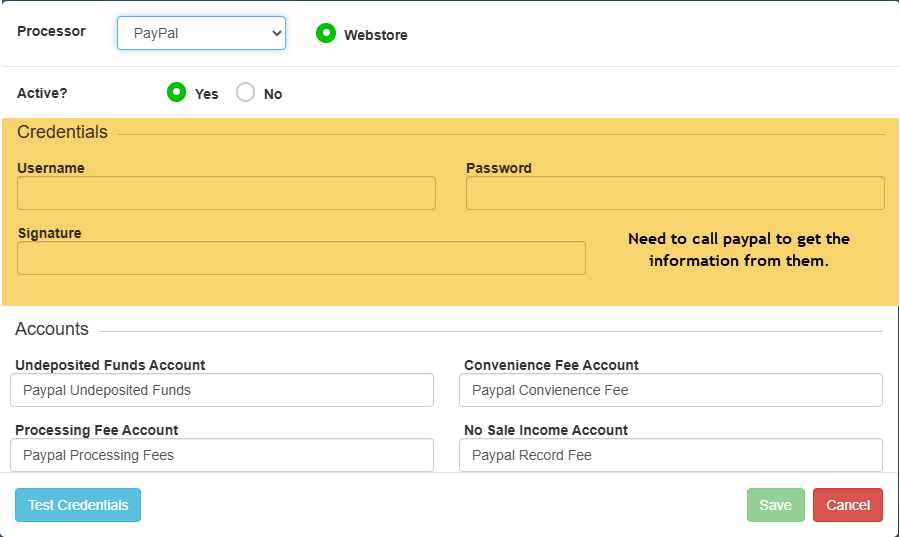
4. Enter the categories that you have created
5. Click Test Credentials
6. Save