Undoing a Deposit in ASBWorks
There may be times when a deposit is miscalculated or a receipt is mistakenly added to a deposit slip. This feature allows you to undo the deposit, then either redo the deposit or edit the receipt.
Important:
If you have already completed the bank reconciliation and cleared the deposit, you cannot use this feature until the reconciliation is removed.
To remove it:
Tools > Bank Recon History > Click the garbage bin on the far right hand side
Steps to Undo a Deposit
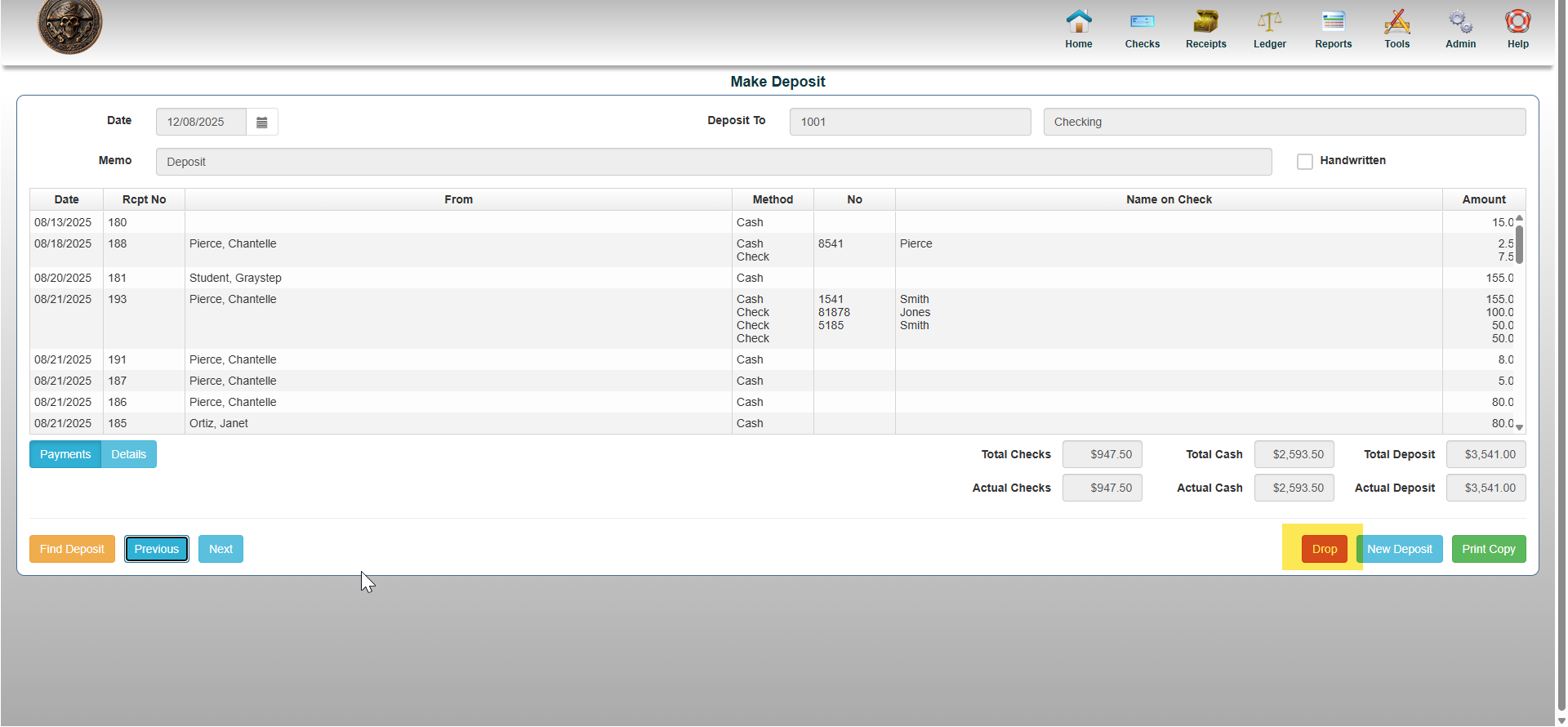
Go to Receipts > Make Deposit
- Find the deposit you want to remove
- Use the Previous button to scroll through deposits, or
- Click Find Deposit to search by bank account, date, receipt numbers, or amount
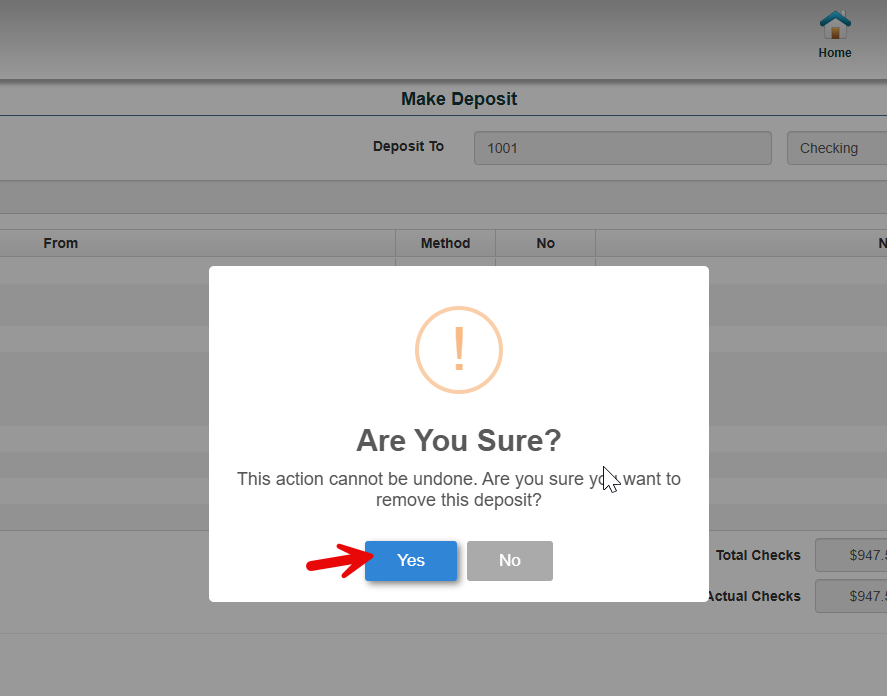
- Once you are on the deposit you wish to undo, click DROP to completely delete the deposit as if it was never completed
- Note: Once the deposit is removed, all receipts associated with it will return to the Undeposited Receipts queue and will appear in the Make Deposit screen again, ready for redeposit.