This function makes it easy to mark items as received by either scanning the receipt barcode or searching for a student by name or ID#.
- From the Receipts tab Select “Write New Receipt”
- In the Received From field, enter the name or ID# of the student
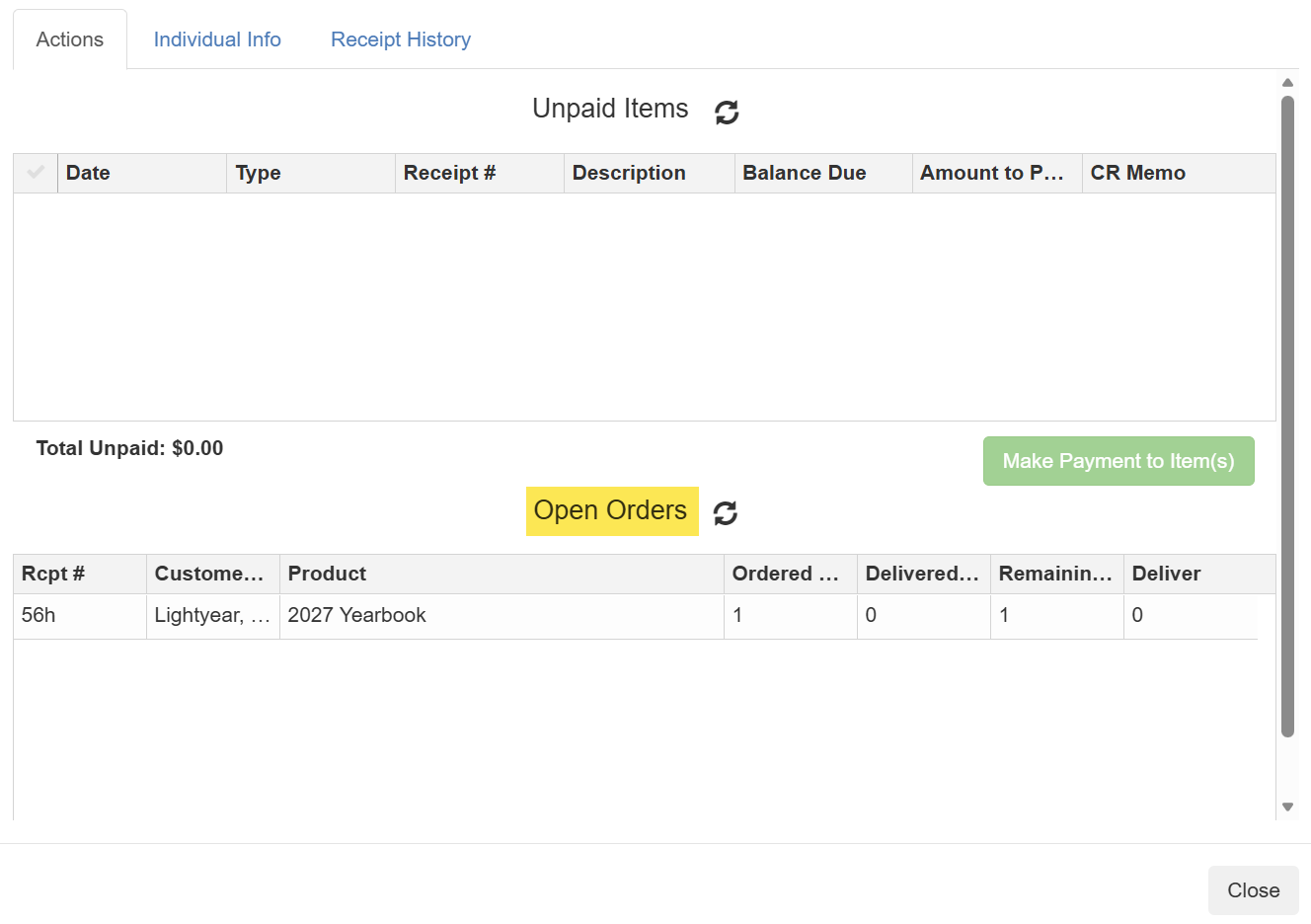
- A pop-up window will appear showing the following:
- Individual Info
- Receipt History
- Unpaid Items
- Open Orders
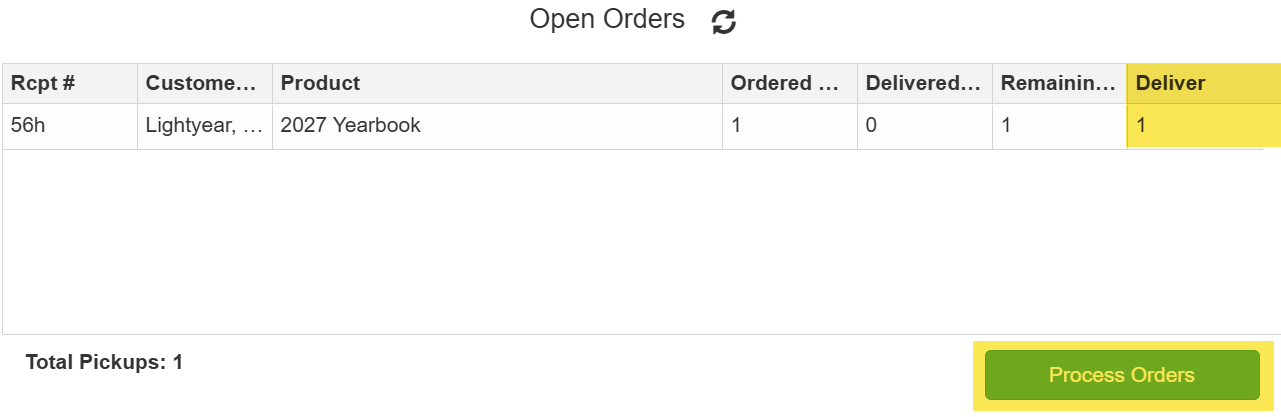
4. In the Open Orders sections, enter the items to deliver in the "Deliver" column
5. Click Process Orders
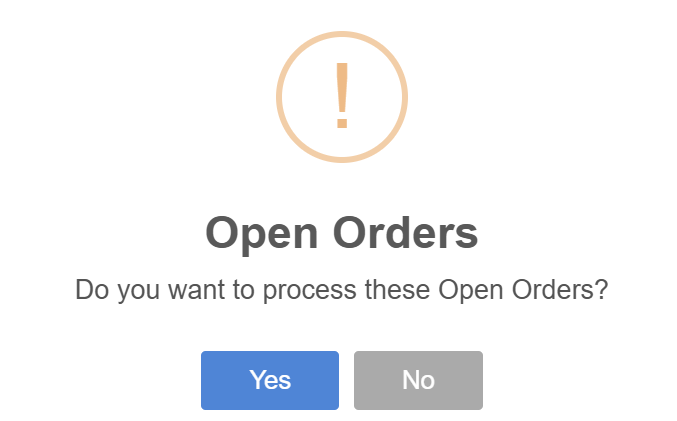
6. Click Yes to confirm
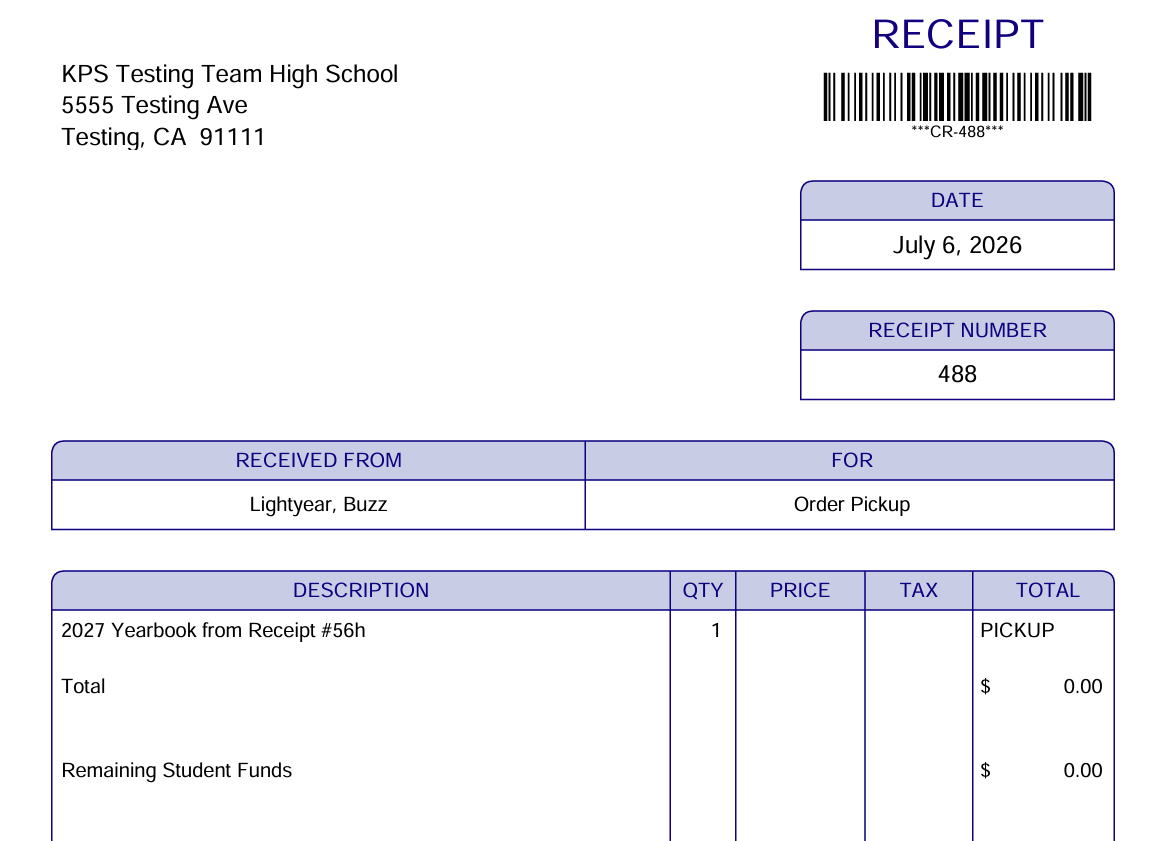
7. A receipt will then generate detailing the items(s) that were delivered