
If a Journal Entry was entered incorrectly, you can reverse it as long as the month has not been reconciled. Reversing a Journal Entry will void the original transaction and automatically create the opposite entry to offset it.
- From the Ledger tab, select Journal Entry
- Click Find Journal Entry in the lower-left corner
- Locate the Journal Entry you need to reverse, enter as many search criteria as possible to narrow your results and quickly find the correct entry.
- Click the Reverse button in the lower-right corner
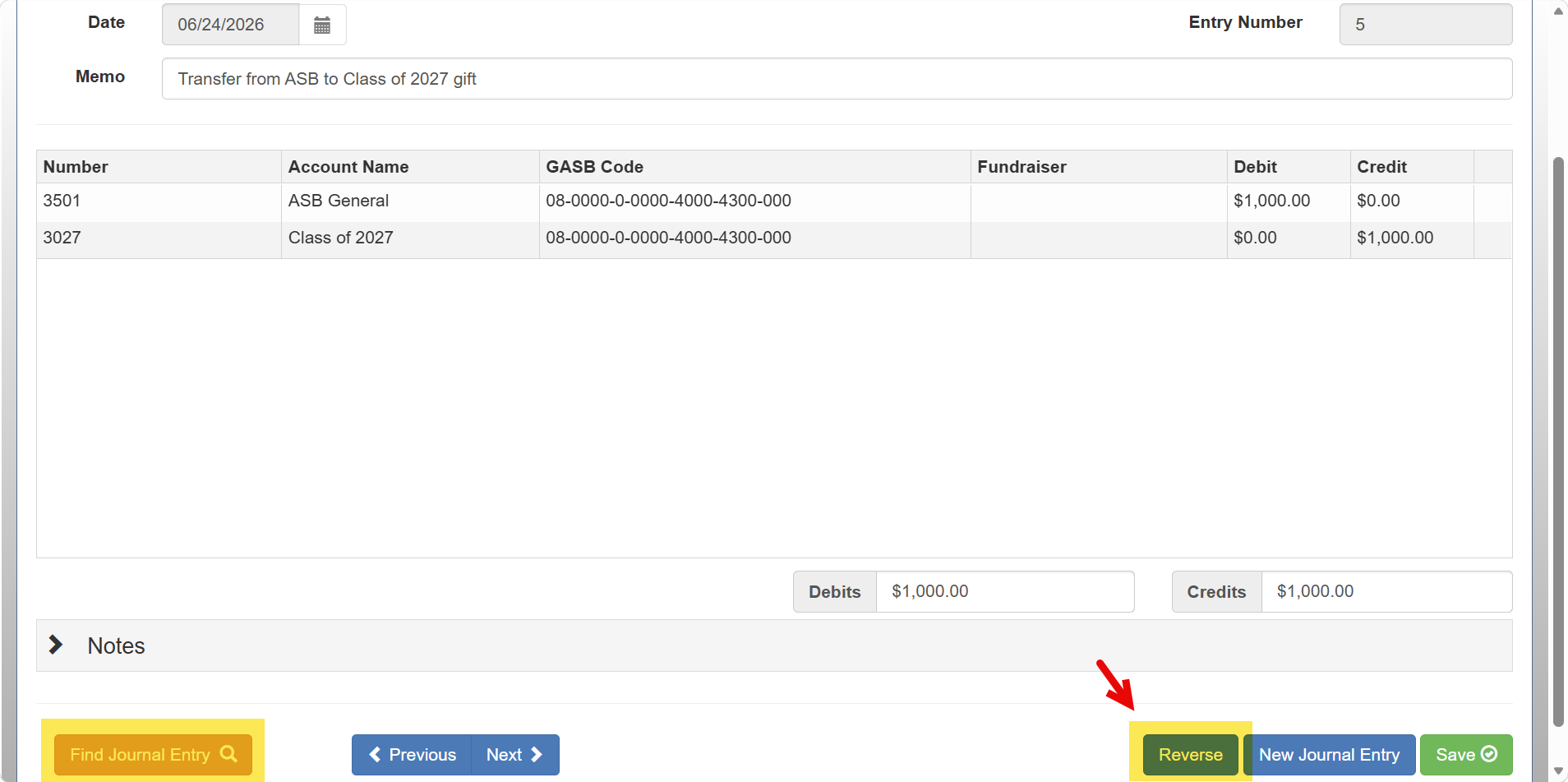
- Backdate the reversing Journal Entry to match the original Journal Entry date
- Click Save
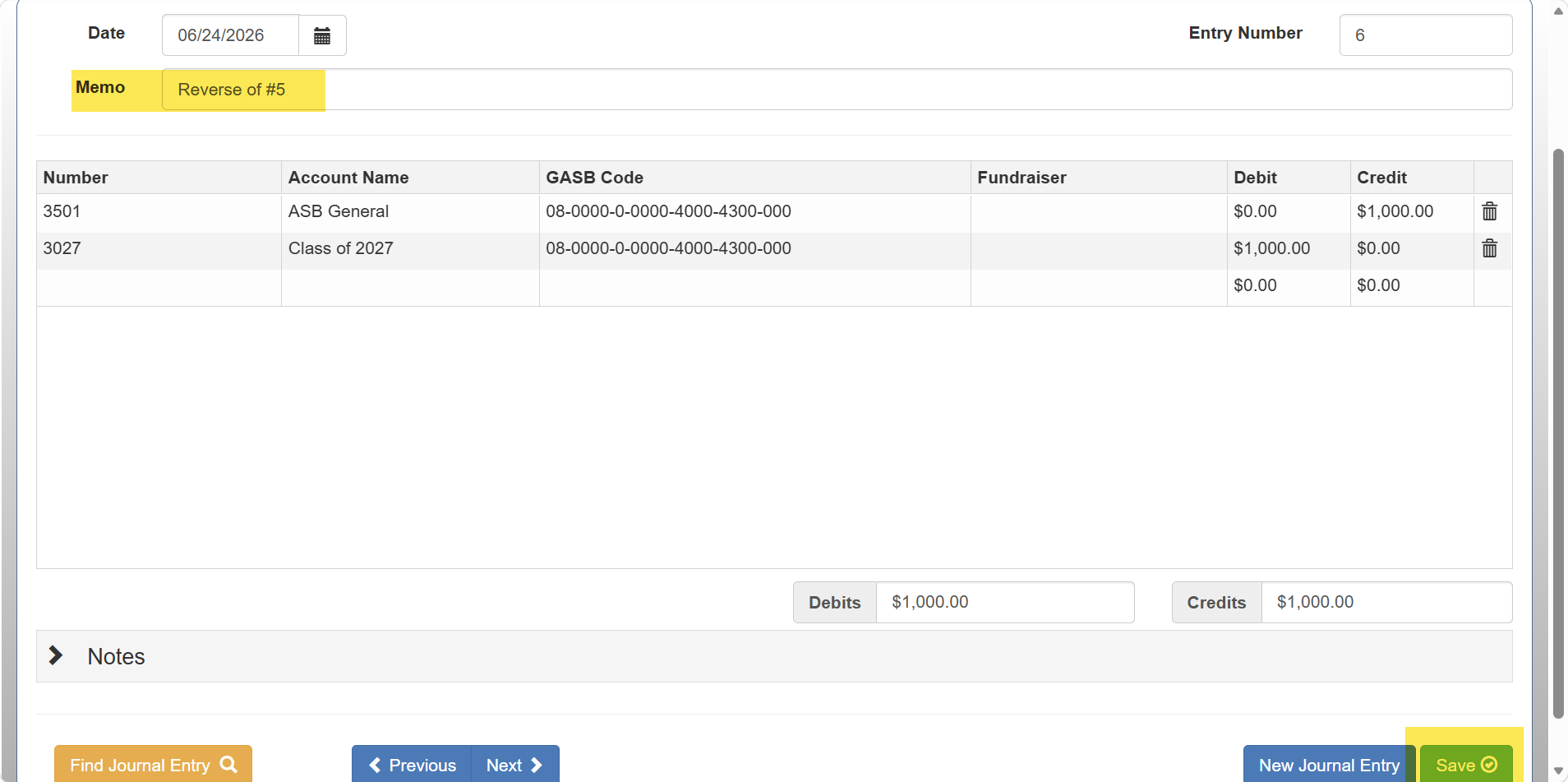 Once completed, the system will create a reversing entry and void the incorrect information from the original Journal Entry.