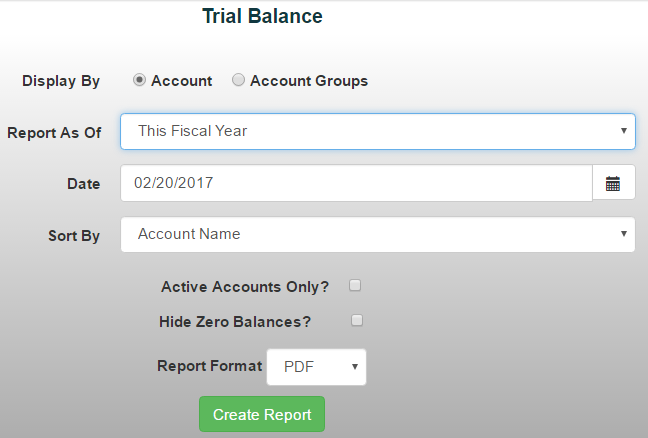
The Trial Balance Report provides a snapshot of each account, its account type, and current balance as of a selected date. This report is a useful tool for reviewing account balances and verifying that your financial records are in balance.
To generate a Trial Balance Report:
- From the Reports menu, select Financial Reports ->Trial Balance
- Choose whether you'd like to report by individual accounts or account groups
- Select a "Report As Of" date using the drop-down menu or manually enter the date
Use the available checkboxes to:
- Show only accounts with activity during the selected period
- Hide accounts with a zero balance
4. Select your preferred sorting option and report format
5. Click Create Report to generate the report