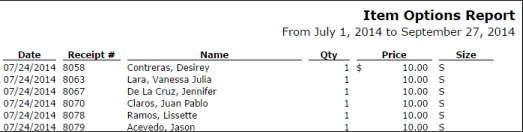
The Item Options Report provides a detailed look at the options selected for items sold during a specified date range. This report is useful for reviewing customer selections and tracking preferences.
To generate an Item Options Report:
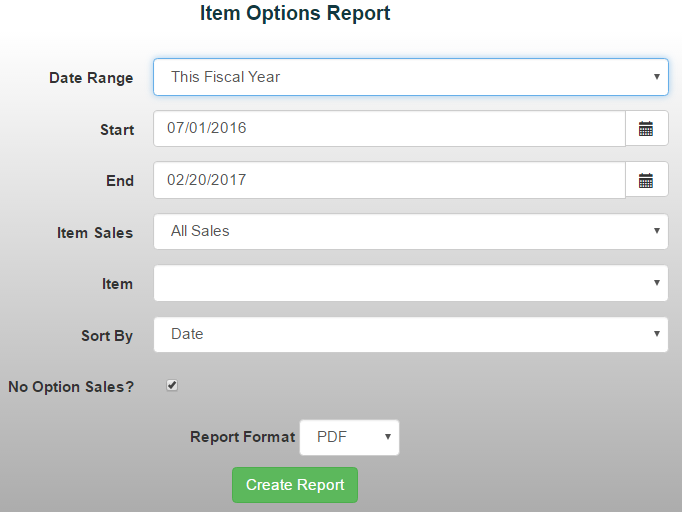
- From the Reports menu, select Item/Sales Reports ->Item Options Report
- Choose a date range from the drop-down menu or manually enter the desired dates
- Use the customize Item Sales drop-down menu to choose which sales to include:
- All Sales
- Open Orders
- Unpaid Orders
- Web Store
4. Select the Item you'd like to report on from the Item drop-down menu
5. If the item includes Selection List Options, you can filter by:
- All available selection choices
- Sort the report By a specific selection
*Note: If the item uses Text Input options, run the report in Excel for easier sorting and analysis.
6. Sales where No Option was selected (when the option was not required) will be included automatically.
7. Select your preferred report format, then click Create Report.