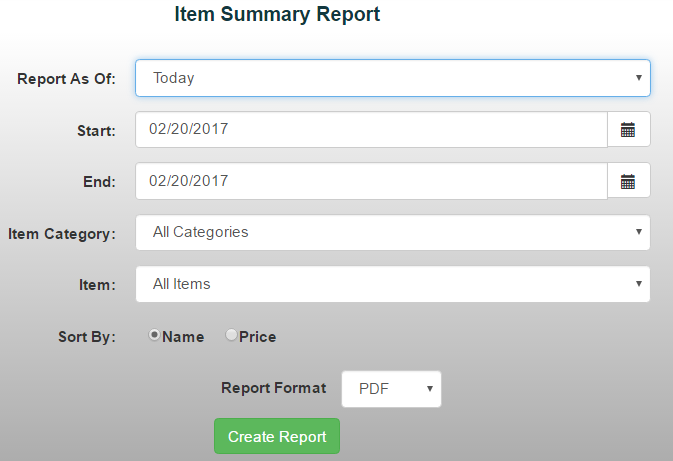
The Item Summary Report provides a summary of all items sold during a selected date range. This report is useful for getting a high-level view of sales without reviewing every individual transaction. *Note: While the Item Sales Report shows each individual sale, the Item Summary Report rolls that information up into totals.
To generate an Item Summary Report:
- From the Reports menu, select Item/Sales Reports ->Item Summary Report
- Choose a date range from the drop-down menu or manually enter the desired dates
- Use the drop-down menus to filter the report by:
- Category
- Item
4. Choose how you'd like to sort the report:
- Item Name
- Price
5. Select your preferred report format, then click Create Report