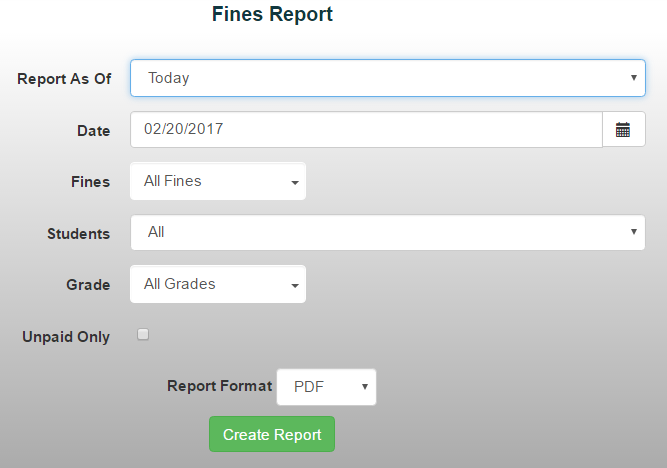
The Fines Report allows you to view fines that have been assessed to students during a selected date range. This report is useful for tracking outstanding fines, reviewing fine activity, and monitoring student obligations.
To generate a Fines Report:
- From the Reports menu, select Receivables/Records Reports > Fines Report
- Choose a date range from the drop-down menu or manually enter the desired dates
- Choose the fine you'd like to report on from the Fine drop-down menu or select all fines if available
- Choose the Students you'd like to sort the report by:
- Active Only
- Inactive Only
- Student Name
5. Click Create Report to generate the report