
The Registration Product Form is a tool used to create a printable order or registration form that allows students (or parents) to purchase school-related items such as:
- ASB cards
- PE clothes
- Yearbooks
- Club memberships
- Spirit wear
- Event registrations
- Other school products and fees
The form includes pricing and, if configured, barcodes for processing payments and tracking purchases.
Typical Uses
- Beginning-of-school registration
- Student orientation and enrollment events
- Club or activity sign-ups
- Fundraiser sales forms
How It Works
- Create the items in Item Admin
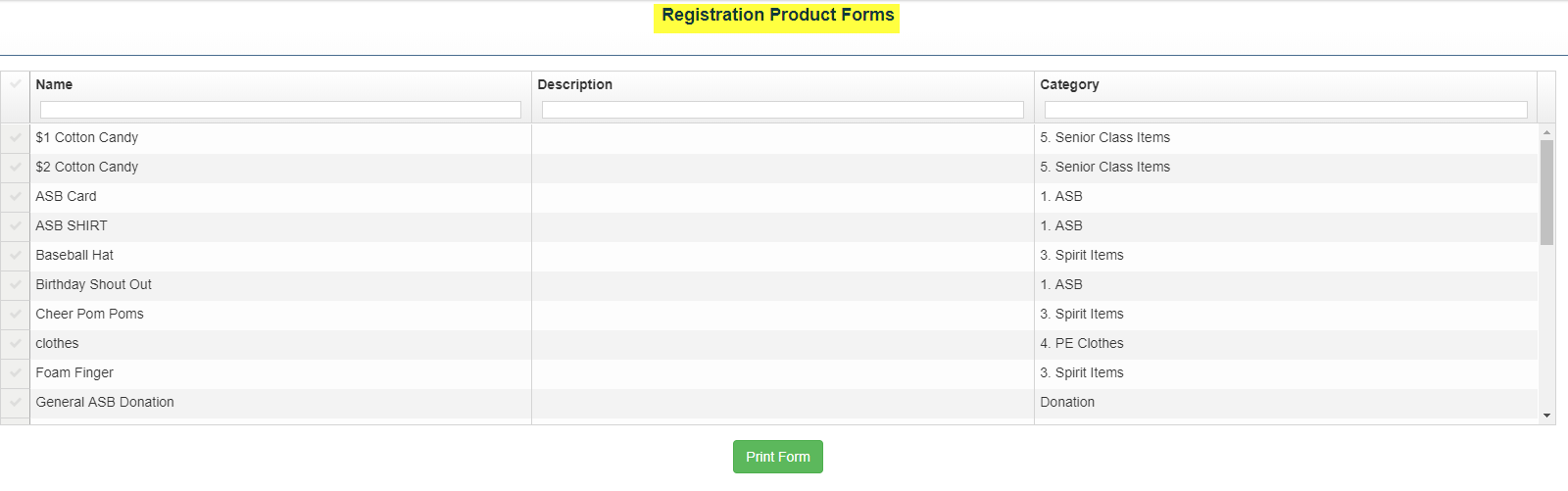
- From the Tools tab→ Reg. Product Forms
- Select the items you want included in the form
- Click Print Form
1
*Note: To edit the registration form:
1. Open reg form created by ASBworks (it should open as a PDF)
2. Re-save the document as a PDF (it is currently a .aspx) file
3. Use this free PDF to Word doc converter https://www.pdftoword.com/
4. Edit text, then save/print to make sure it looks good/barcodes work if included