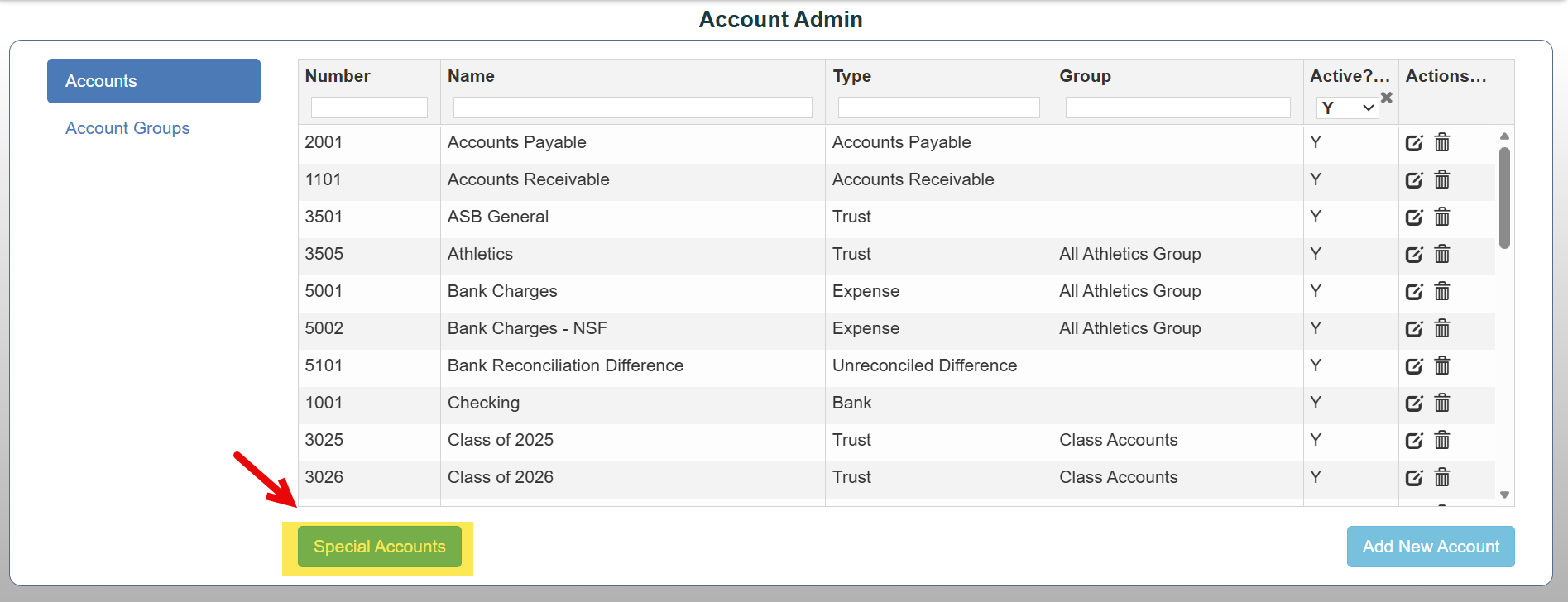
Account Admin is the area used to manage your school's Chart of Accounts (ledger accounts). It allows authorized users to create, modify, organize, and maintain the financial accounts used for tracking ASB funds and transactions.
To access Account Admin:
Admin → Account Admin
You can:
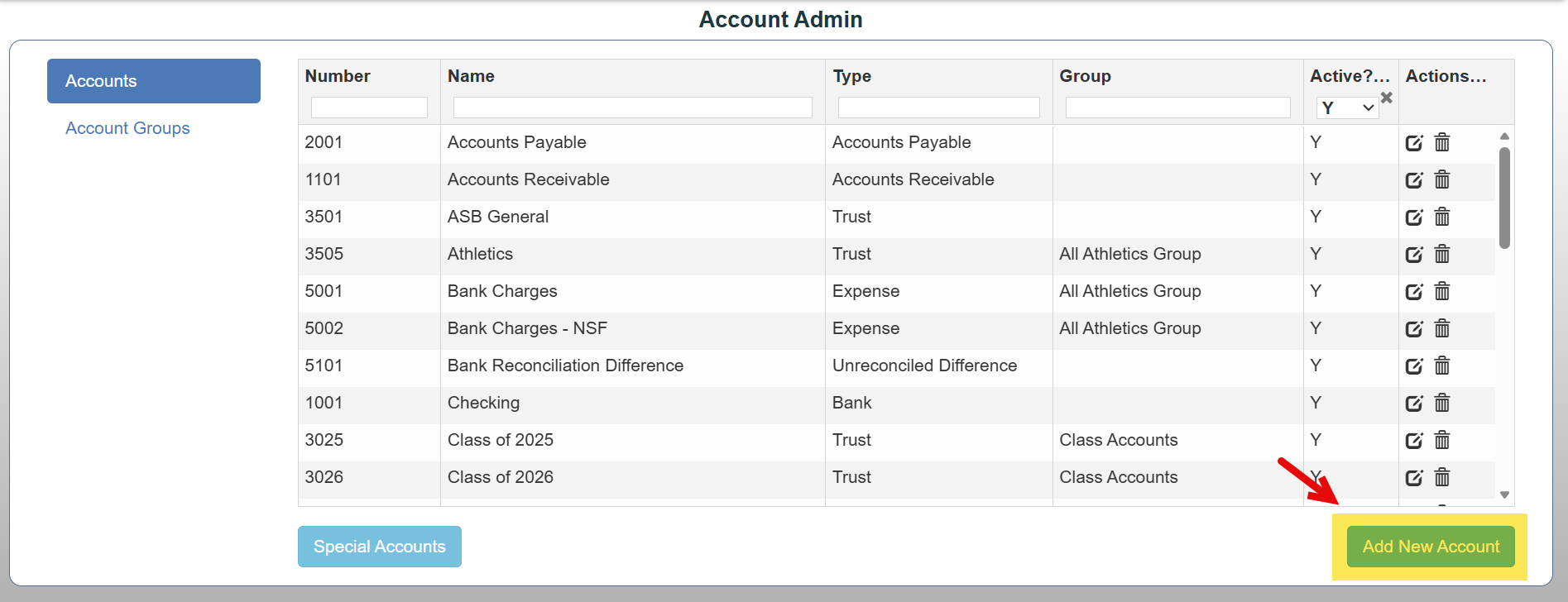
1. Add New Accounts
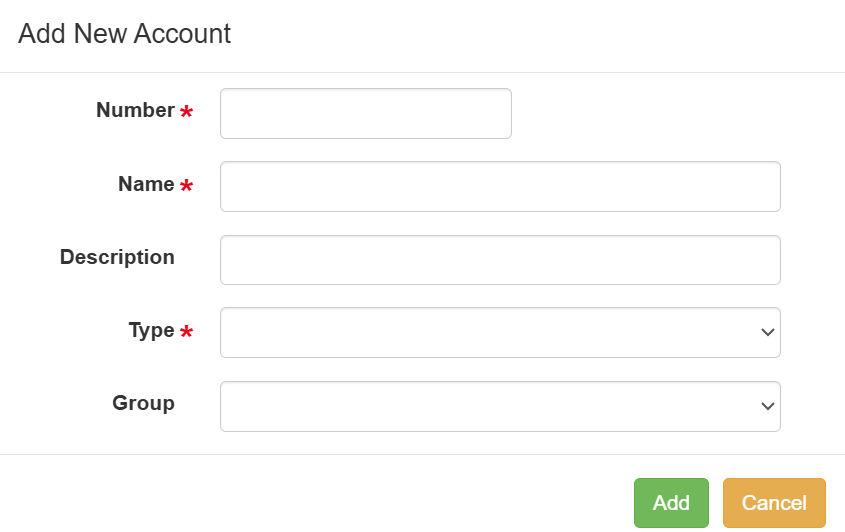
When creating a new account, you can enter:
- Account Number
- Account Name
- Description
- Account Type
- Group
*Note: Required fields are marked with an asterisk.
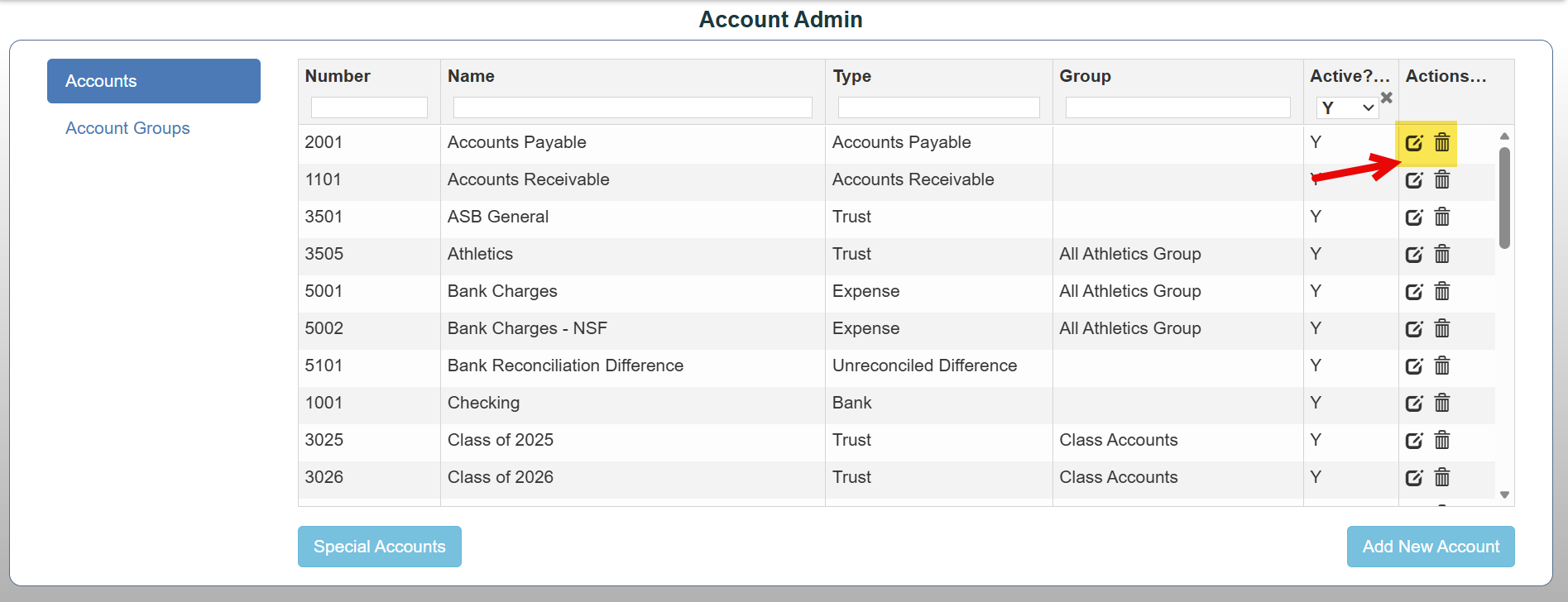
2. Manage Existing Accounts
- Change the Account Number
- Update the Account Name
- Edit account description and group
- Activate/Inactivate Accounts
*Note: Accounts that already contain transaction history cannot be deleted but can be marked Inactive to prevent future use.
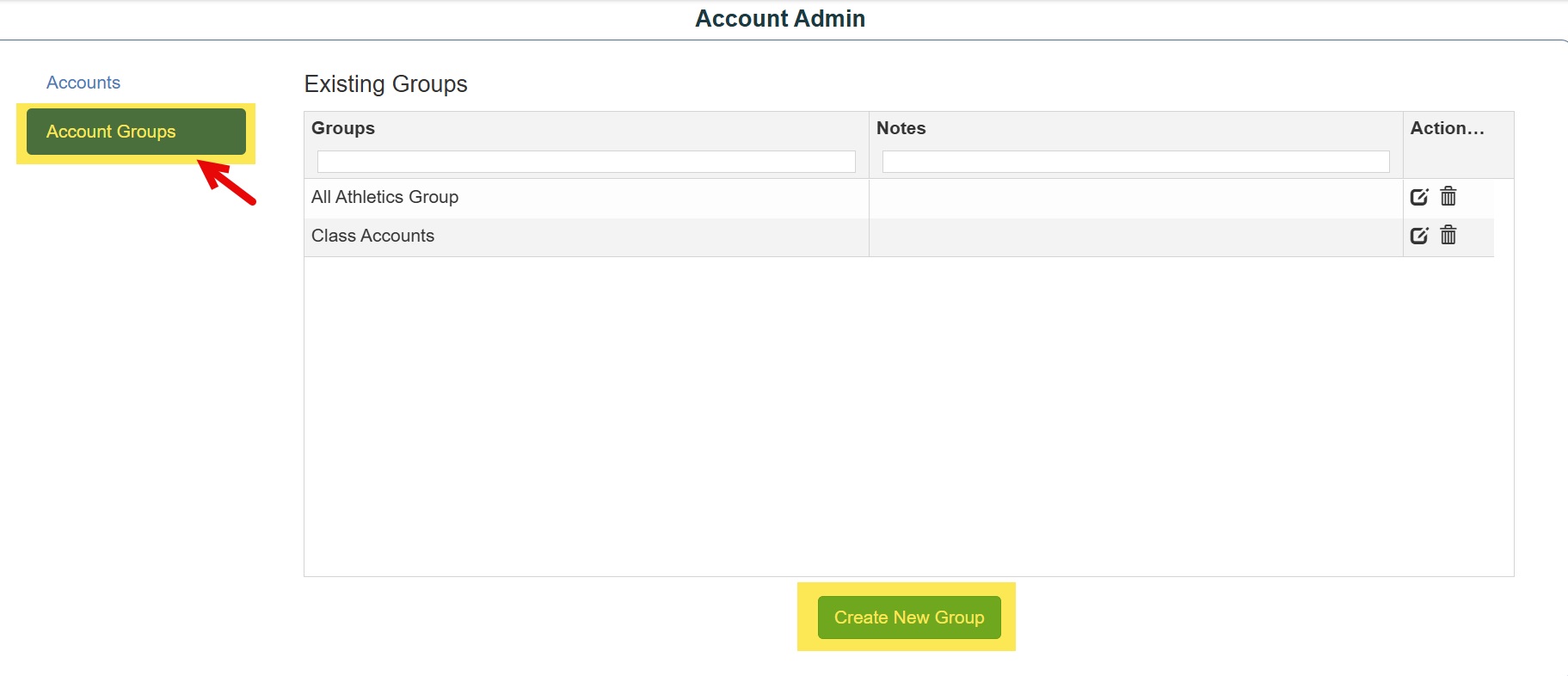
4. Create Account Groups
Account Groups help organize related accounts, such as:
- Revenue accounts
- Expense accounts
- Club accounts
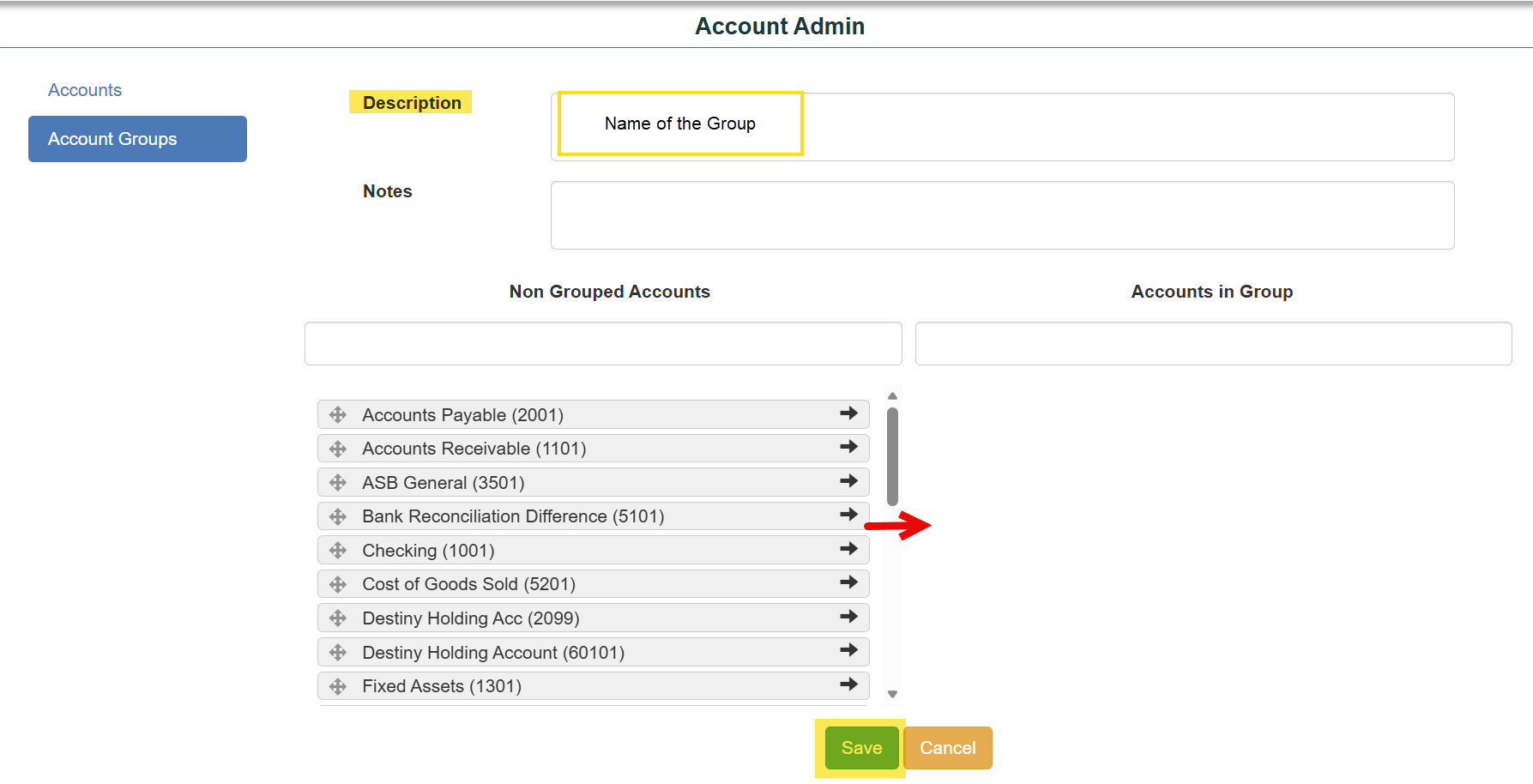
Grouping allows reports to display:
- Subtotals by group
- Combined group totals
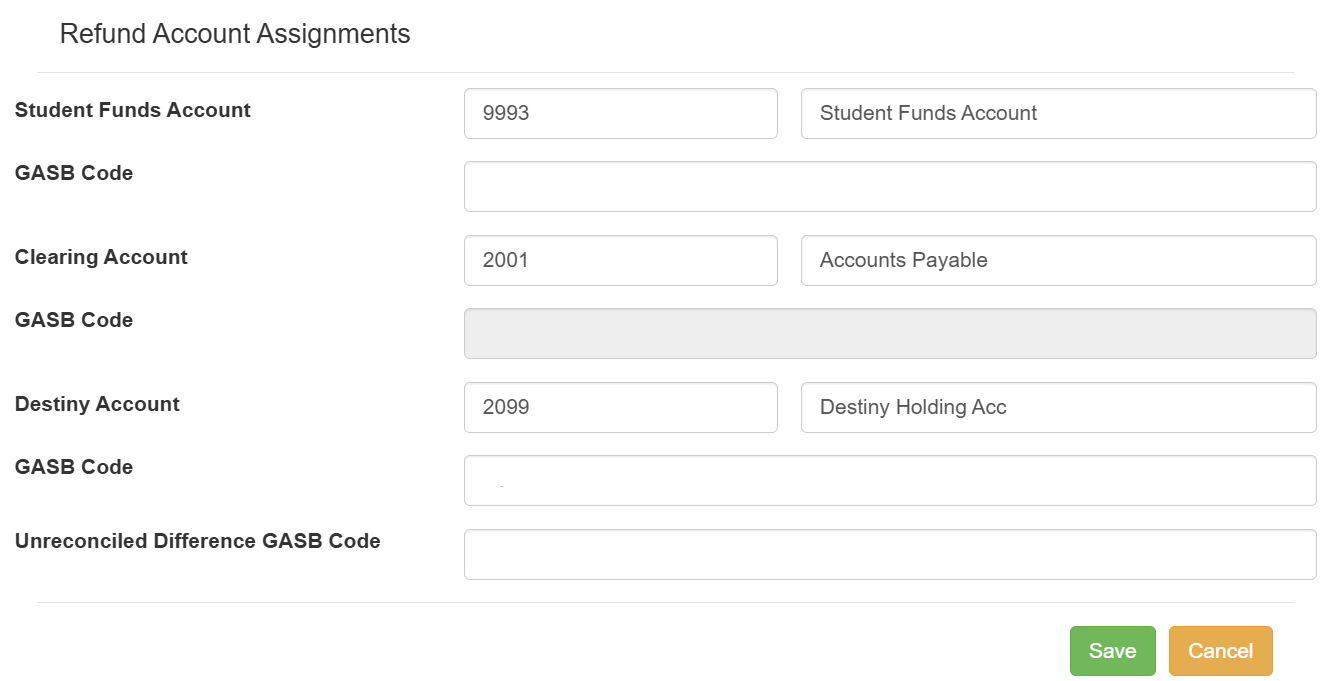
5. Configure Refund Accounts ->Special Accounts
Account Admin is also where you configure:
- Student Funds (Trust) accounts used to hold student credits
- Clearing accounts used when refund checks are issued
- Destiny accounts