Merging individuals allows you to combine duplicate profiles into a single profile. Once merged, all of the history and transactions from each duplicate profile will be consolidated and saved under the profile you chose to keep.
*NOTE: MERGING CANNOT BE UNDONE. BE VERY CAREFUL WHEN MERGING INDIVIDUALS.
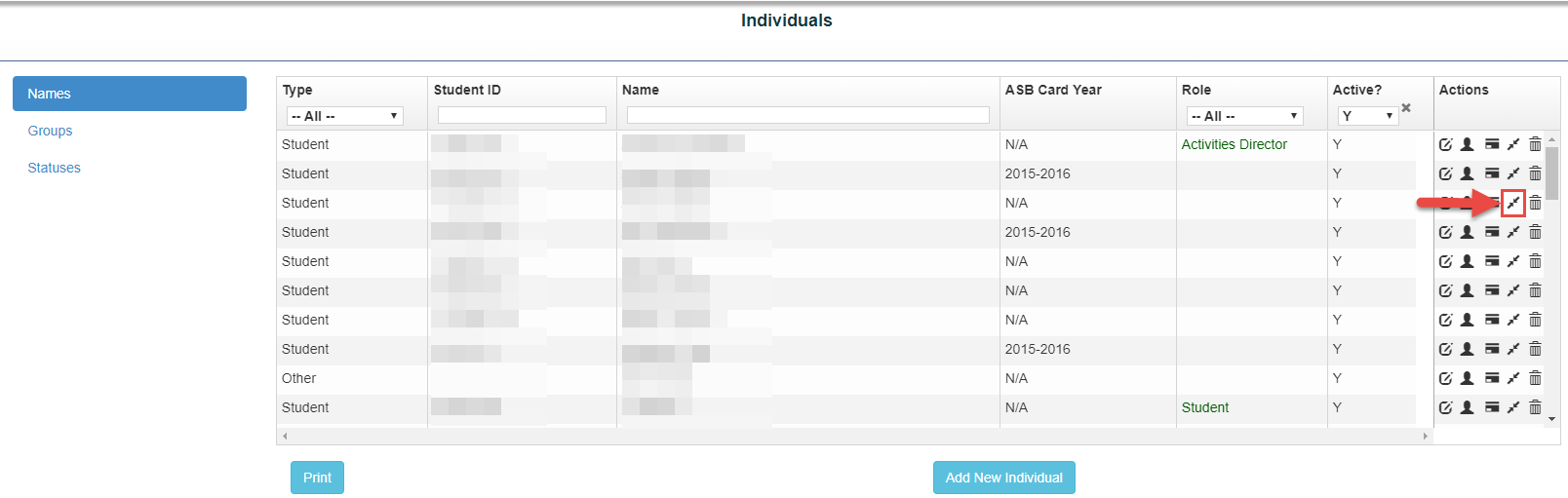
From the Admin tab Select “Individuals”
- Find the individual you'd like to merge by Student ID and/or Name
- Under Actions, click the Merge icon (the second icon with two arrows pointing toward each other).
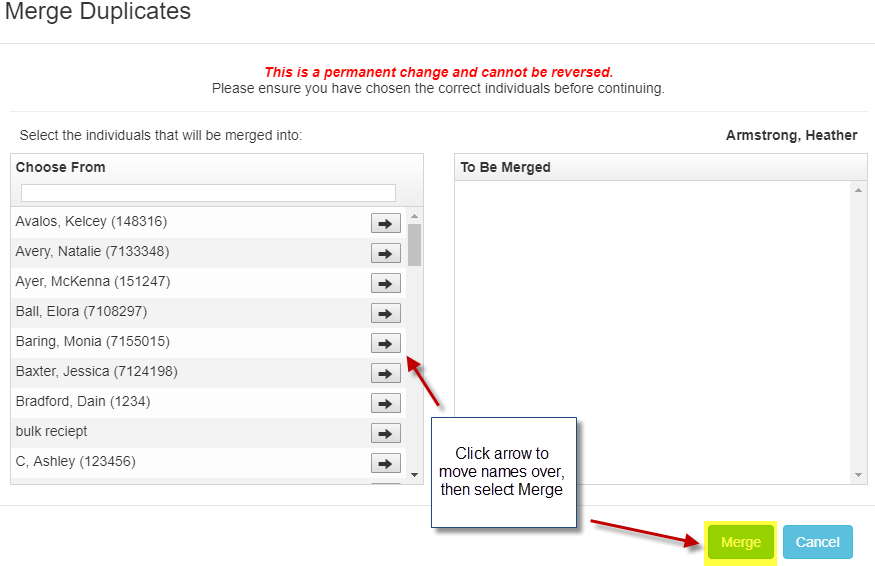
*Note: Always select the profile you want to keep before clicking the Merge icon. - Select the duplicate profile(s) you want to merge into the first profile.
- Click Merge.
- Click Yes to confirm.