
How to Add a New User and Create Login Credentials in ASBWorks
Step 1: Log into ASB Works. Only District Bookkeepers, Administrators and Bookkeepers can create new users, so make sure you’re signed in under one of those roles.
Step 2: Navigate to Individuals
Go to Admin → Individuals.
Step 3: Locate or Add the Individual
Search for the person by Last Name, First Name.
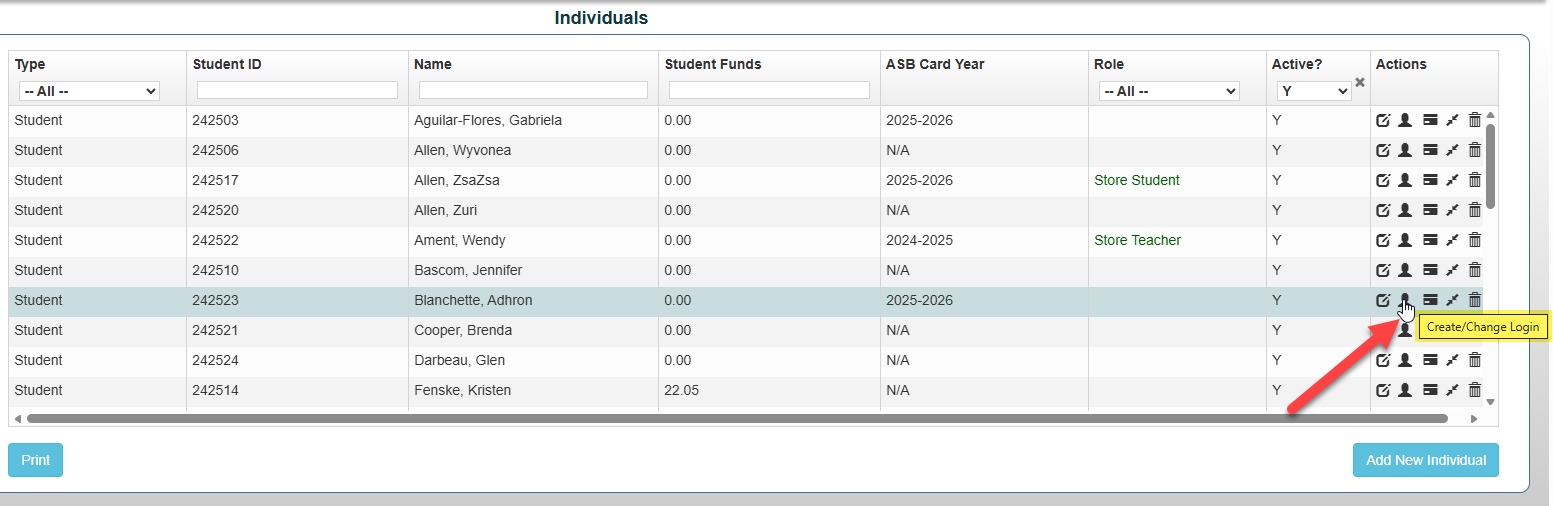
If they don’t appear in the list, click Add New Individual (bottom right).
Then:
Select the Individual Type that best applies.
Enter their information.
Click Save.
Step 4: Create the User Login
Click the little person icon (second icon under Actions on the right).
Enter the user’s email address.
Create a temporary password (example: 1234).
Set an Expiration Date (the date their access should end).
On the "Account" Drop down menu you can add any accounts they should have access to by clicking on those. They will display a green check mark to indicate that they have access to those accounts.
Click OK to save.