
Inventory can be tracked for simple “one‑size‑fits‑all” items like notebooks or water bottles, or you can use Options to track more detailed variations such as size and color combinations.
Note: Options must be created before you set up inventory. You can add these in the Options Admin section.
- Set up a new item or choose an existing one.
Then go to the Inventory tab and check the box for Track Inventory.
- If the sales are going to a Trust type account, the Cost Account must match.
- If the sales are going to a regular account, you can choose the Cost Account as needed.
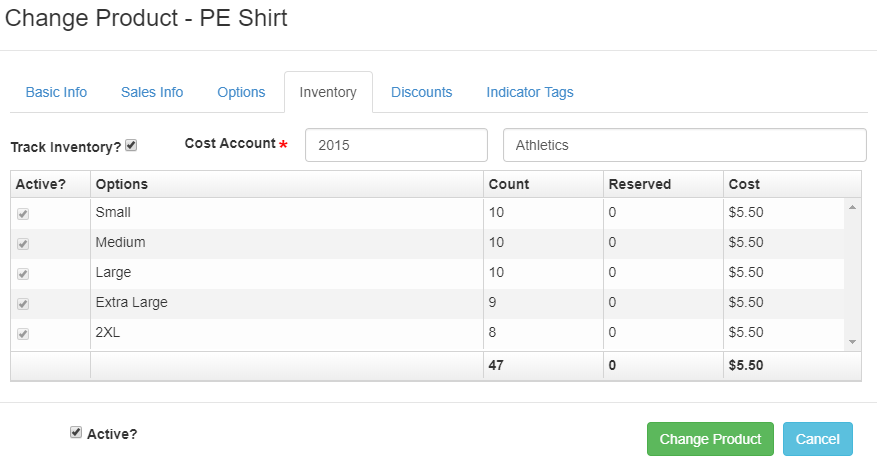
- Enter the current inventory count and the unit cost for each option (as shown above).
This ensures the system knows how many items you have on hand for each size, color, or variation.
Note: The Reserved column will show items that were ordered through the webstore but haven’t been picked up yet. This helps you keep an accurate and up‑to‑date inventory count.