
The device went into low power mode because the battery became very low. Even after charging it, the setting won’t automatically turn off until the steps below are completed:
- Swipe down from the top of the screen twice.
- Swipe from right to left (there are three pages of icons).
- Select the Battery icon (top right corner).
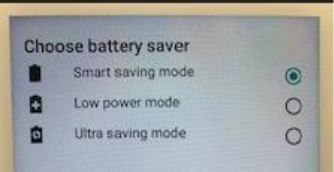
- Make sure "Smart Saving Mode' is selected.
- Click "More Settings"
- Make sure “Schedule Power Saving” is turned off, then click back arrow (bottom right corner)
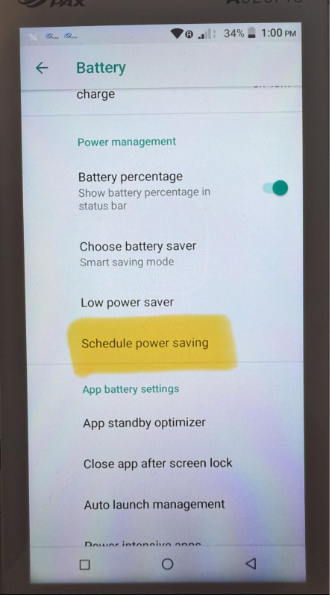
- Scroll down to “App Battery Settings” and select “More Settings.”
Tap on “Battery Supply Work Mode.”
Select “Mobile Mode.”
Click "OK", device will restart